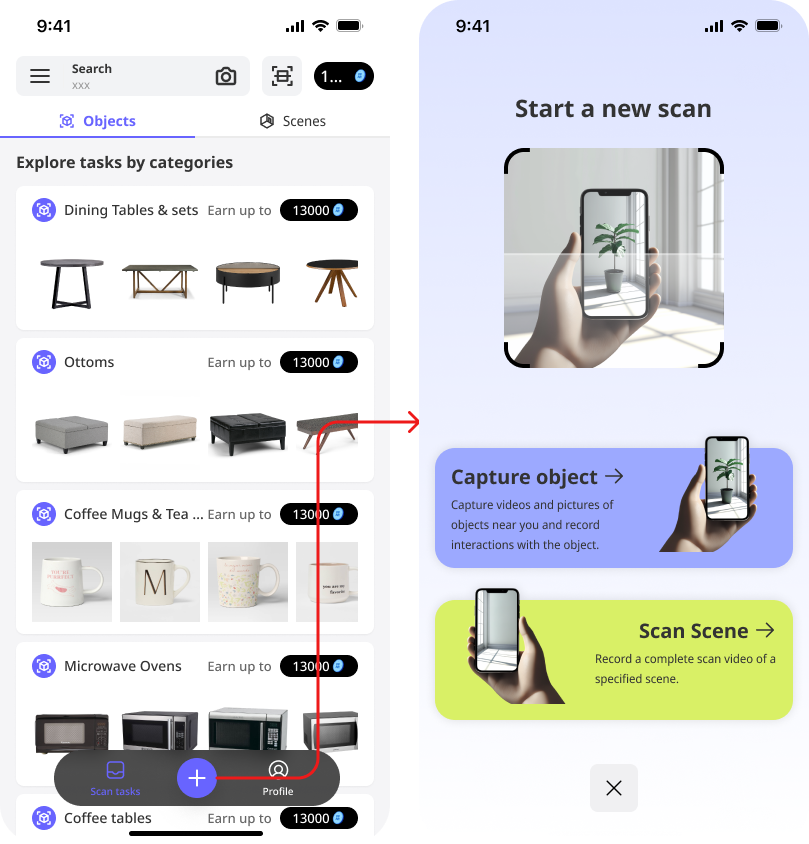
Capture Objects and Scan Scene
Capture Objects and Scan Scenes are two tasks which need to be done in our iOS app - DEAR Scan.
Capture Object
Capture object requires you to take some pictures and videos of objects near you following the instruction, and record some interactions with the object.
Explore the App Interface
Capture Object
Once start capturing, please pay attention to the guidance display on the screen. Below is a tutorial video to capture a good quality object.
Record Interaction
After capture object, you can keep recording some interactions with this object. Imagine you are a little baby and learn how to use this object.
Below is a tutorial video to record interactions.
View submission result
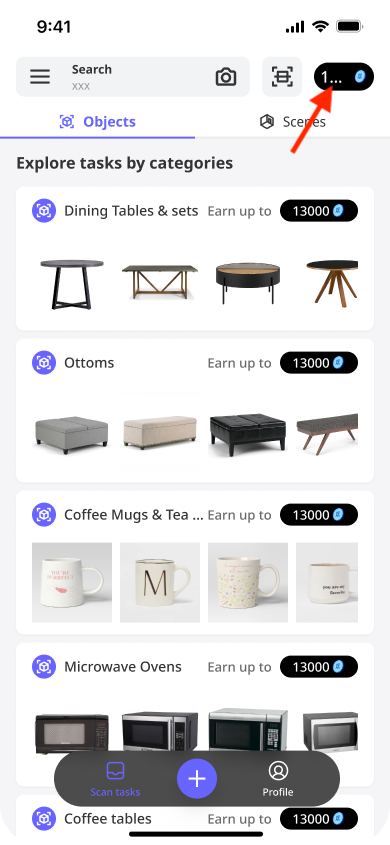
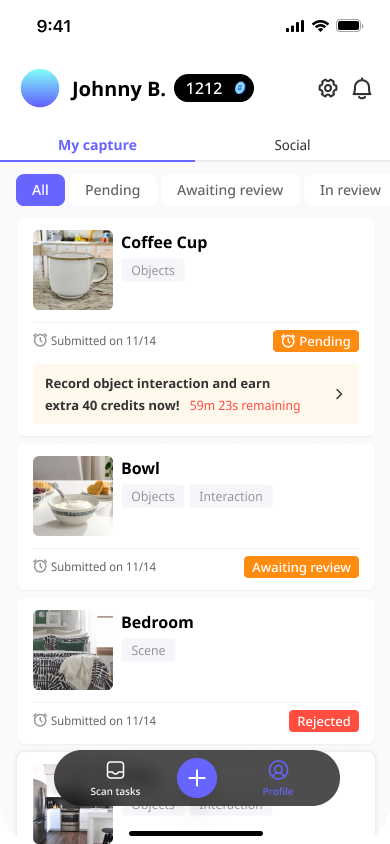
Click the top right corner button to see all your submissions and credits earned. For the status, it means
- Pending: means you only submitted the capture object, you still have 1 hour to submit the interaction to earn extra credits. If expired, you are not able to submit anymore.
- Awaiting review: means your submission is submitted and waiting for reviewer’s review.
- In review: means your submission is under review.
- Approved: means your submission is approved and earn credits
- Rejected: means your submission is not qualified and rejected.
Scan Scenes
Scan scene requires you to take videos of the scene you are in, covering all the angles and objects.
Explore the App Interface
View submission result
All the scan scene submissions are managed together with capture object, you can find it with the same way.
Quick Start a Scan
You can also start a quick scan without a specific task by clicking the “+” button on the bottom tab.